
LogoShipdirs
  • Discover
  • Search
  • Categories
  • Pricing
  • Blog
  • Submit
LogoShipdirs

Newsletter

Join the Community

Subscribe to our newsletter for the latest news and updates

  1. Home
  2. Category
  3. VPS AI
VPS AI icon

VPS AI

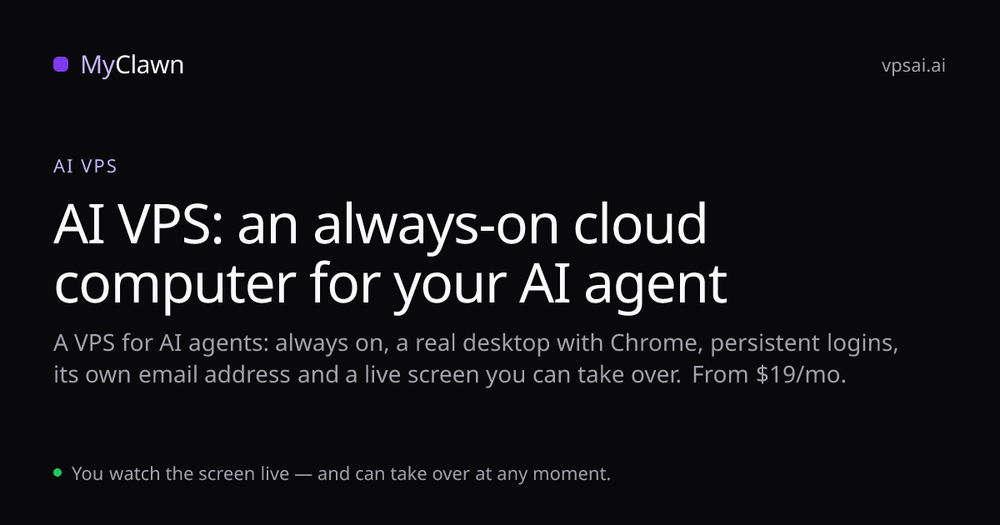
An always-on cloud desktop for AI agents with Chrome, persistent logins, an email address, live screen streaming, and human takeover.

Visit Website
VPS AI image
Visit Website

Introduction

Back

Information

  • Publisher
    pushtimepushtime
  • Websitevpsai.ai
  • Published date2026/09/16

Categories

  • Developer Tools
  • AI & Automation
  • Productivity & Collaboration

Tags

  • AI Agents
  • Cloud
  • Browser Automation
  • Stateful Agents
  • Automation
  • Integrations
icon of DDSM批量二维码生成器

DDSM批量二维码生成器

AD

专业的DDSM批量二维码生成工具,在线快速生成多个高质量二维码,支持自定义样式、格式导出与打包下载。

How to Use VPS AI

VPS AI's Core Features

Persistent cloud desktop

Keeps a dedicated Linux machine, files, and browser state available around the clock.

Logged-in Chrome environment

Gives agents a real browser with persistent sessions for web workflows behind a login.

Chat and agent delegation

Accepts outcome-oriented tasks and connects with supported agent or MCP workflows.

Live screen and takeover

Lets a person watch the desktop and intervene when judgment or approval is needed.

Per-machine monthly plan

Bundles the machine, desktop, streaming, email address, and a current AI usage allowance into one plan.

VPS AI's Use Cases

1

Browser automation

Run repeatable work in websites that do not expose a convenient API or require a logged-in session.

2

Overnight research

Leave an agent running on a persistent desktop to collect, compare, and organize information.

3

Inbox and admin work

Give an agent a separate computer and email identity for supervised operational tasks.

4

Supervised agent runs

Watch a live session and take control before an external, financial, or public action is completed.

FAQ from VPS AI

VPS AI Support & Company Information

Support Email
hello@myclawn.com
Company
MyClawn / vpsai.ai
Contact
Open Contact

Social Links

  • GitHub

More Products

icon of Tunenoodle

Tunenoodle

AI & AutomationAudio & Music

Turn an idea, lyrics or a hummed melody into a song with AI, plus 30+ free browser audio tools like audio to MIDI, tap tempo and a chord analyzer.

AI PoweredAudio ToolsMusic ProductionFree Plan
icon of M3U8 Player Online

M3U8 Player Online

Video & MediaDeveloper Tools

Play M3U8 and HLS streams online, convert streams to MP4 in your browser, and embed a clean player via iframe with no account required.

StreamingVideo ToolsDeveloper ToolsFree PlanFile Conversion
icon of ScribVoice

ScribVoice

Audio & MusicProductivity & CollaborationAI & Automation

ScribVoice is an AI audio and video transcription tool that provides editable transcripts with speaker labels and timestamps in 38 languages.

Speech to TextTranscriptionAudio ToolsMultilingualSpeaker Diarization+2

VPS AI

VPS AI is a hosted computer for agents that need a real browser and a persistent working environment. Each machine is designed to stay online, retain browser sessions and files, and expose a live screen that a person can inspect or take over.

Why it stands out
  • Persistent Linux desktop rather than a short-lived headless browser
  • Chrome, files, logins, and an email address kept on the machine
  • Chat-based task delegation with support for agent and MCP workflows
  • Live visual control when a task needs human review
  • A monthly machine plan with AI usage included according to the current offer

It is an agent workspace, not a GPU server for hosting model weights. The agent's model is called through an API while the VPS provides the computer where browser-based work happens.

  1. Create a machine through the official VPS AI or MyClawn flow.
  2. Connect the supported agent or send a task through the available chat interface.
  3. Let the agent work in its persistent desktop, including websites that require a login.
  4. Open the live screen to inspect progress or take control for a sensitive step.
  5. Review messages, files, and external actions before closing the task.
LogoShipdirs

A curated directory of tools that help you build, create, and grow.

Explore
  • Discover
  • Search
  • Categories
Resources
  • Blog
  • Pricing
  • Submit
More
  • Sitemap
  • Contact
Company
  • About Us
  • Privacy Policy
  • Terms of Service

Featured on

Listed on Turbo0Featured on Wired BusinessFeatured on Twelve ToolsFeatured on Dofollow.ToolsFazier badgeaitoolexListed on Backlink DirsLaunching Soon on UneedListed on AIDirsFeatured on FWFWFeatured on NewTool.siteAidirsFeatured on BestskyToolsListed on JustSimple ToolsFeatured on AIJustBetter.comFeature On aifinderplus.comFeatured on AITrustListFeatured on aihuntlist.comFeatured on ToolListed
Copyright © 2026 All Rights Reserved.