
LogoShipdirs
  • Discover
  • Search
  • Categories
  • Pricing
  • Blog
  • Submit
LogoShipdirs

Newsletter

Join the Community

Subscribe to our newsletter for the latest news and updates

  1. Home
  2. Category
  3. Viso Now
Viso Now logo

Viso Now

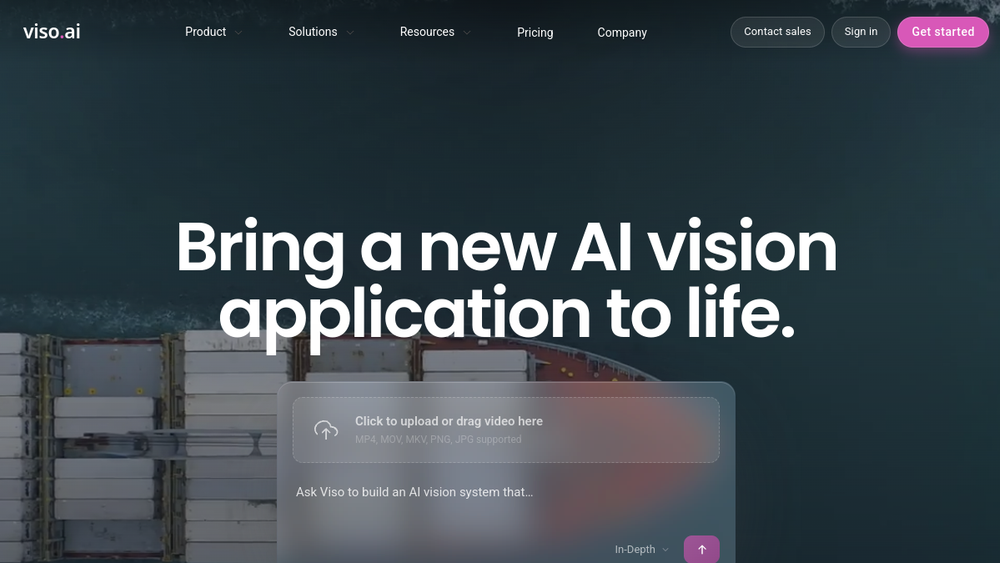
A no-code computer vision platform that creates camera and video analytics applications from plain-language instructions.

Visit Website
Viso Now product preview
Visit Website

Introduction

Back

Information

  • Publisher
    pushtimepushtime
  • Websitewww.viso.ai
  • Published date2026/09/02

Categories

  • AI & Automation
  • Developer Tools
  • Business & Commerce

Tags

  • AI Powered
  • Free Plan
  • No Code
  • Computer Vision
  • Safety Monitoring
  • API
icon of DDSM批量二维码生成器

DDSM批量二维码生成器

AD

专业的DDSM批量二维码生成工具,在线快速生成多个高质量二维码,支持自定义样式、格式导出与打包下载。

How to Use Viso Now

Viso Now's Core Features

Prompt-built vision agents

Creates a computer vision application from a plain-language objective and sample footage.

No-code visual analysis

Handles model selection and application assembly without requiring teams to label a dataset first.

Detection and counting

Detects, counts, classifies, and analyzes objects or activities in video streams.

Rules and zones

Combines spatial zones, schedules, thresholds, and conditions into operational events.

Live dashboards

Displays visual metrics and events in dashboards for monitoring and review.

Alerts and integrations

Can notify teams by email, Slack, or Microsoft Teams and connect through webhooks or APIs.

Collaboration and sharing

Supports shared workspaces and publishing approved live feeds to stakeholders.

Viso Now's Use Cases

1

Workplace safety

Detect missing protective equipment, restricted-zone entry, or other defined safety events.

2

Manufacturing quality

Identify visible defects or count production events for review by an operations team.

3

Retail queue monitoring

Estimate queue length and alert staff when a configured threshold is reached.

4

Occupancy analytics

Measure people or vehicle counts across defined zones while applying appropriate privacy controls.

5

Process observation

Track whether a visible step, object, or sequence appears in an approved operational workflow.

FAQ from Viso Now

Viso Now Support & Company Information

Login
Open Login

Social Links

  • Facebook
  • YouTube
  • LinkedIn

More Products

Subscope favicon

Subscope

Business & CommerceProductivity & Collaboration

Software HQ for understanding a company’s SaaS and AI stack, usage, and subscription spend.

Business IntelligenceAI PoweredWorkflow Automation
apiko-icon

APIKO

Developer Tools

A unified API gateway for text, image, video, and audio AI models with usage-based billing.

APIMulti-ModelText GenerationImage GenerationVideo Generation+1
ecom-agent-tools-icon

Ecom Agent Tools

Business & Commerce

An independent directory of tested AI agents, skills, and prompts for ecommerce operations.

EcommerceAI AgentsCustomer ServiceMarketing AnalyticsInventory+1

Viso Now

Viso Now helps teams build computer vision applications without labeling datasets or choosing models manually. Users describe what to detect, add a sample clip or camera feed, and configure rules that turn visual events into dashboards, alerts, or connected workflows.

Key capabilities
  • Create a vision agent from a plain-language request
  • Detect, count, classify, and analyze objects or activities in video
  • Configure zones, schedules, thresholds, and event rules
  • Build live dashboards for operational metrics
  • Send alerts through email, Slack, or Microsoft Teams
  • Connect events to external systems with webhooks and APIs
  • Publish and share approved live feeds with collaborators
Best for

Operations, manufacturing, retail, logistics, construction, healthcare, and facilities teams testing visual monitoring ideas without assembling a custom computer vision stack.

Editorial note

Camera analytics can affect privacy, workplace rights, and regulatory obligations. Define a lawful purpose, minimize captured data, disclose monitoring where required, and review Viso's current security, retention, and deployment terms before using real footage.


  1. Create a Viso Now workspace and describe the visual event or metric you want to monitor.
  2. Add a representative video clip or connect an approved camera source.
  3. Review the generated vision agent and test its detections against varied footage.
  4. Define zones, schedules, thresholds, and business rules for important events.
  5. Build a dashboard or connect alerts, webhooks, and APIs to an operational workflow.
  6. Confirm privacy, consent, retention, and access controls before using real-world footage.
  7. Deploy gradually and audit false positives, false negatives, and model drift.
LogoShipdirs

A curated directory of tools that help you build, create, and grow.

Explore
  • Discover
  • Search
  • Categories
Resources
  • Blog
  • Pricing
  • Submit
More
  • Sitemap
  • Contact
Company
  • About Us
  • Privacy Policy
  • Terms of Service

Featured on

Listed on Turbo0Featured on Wired BusinessFeatured on Twelve ToolsFeatured on Dofollow.ToolsFazier badgeaitoolexListed on Backlink DirsLaunching Soon on UneedListed on AIDirsFeatured on FWFWFeatured on NewTool.siteAidirsFeatured on BestskyToolsListed on JustSimple ToolsFeatured on AIJustBetter.com
Copyright © 2026 All Rights Reserved.