
LogoShipdirs
  • Discover
  • Search
  • Categories
  • Pricing
  • Blog
  • Submit
LogoShipdirs

Newsletter

Join the Community

Subscribe to our newsletter for the latest news and updates

  1. Home
  2. Category
  3. Sprite-AI
sprite-ai icon

Sprite-AI

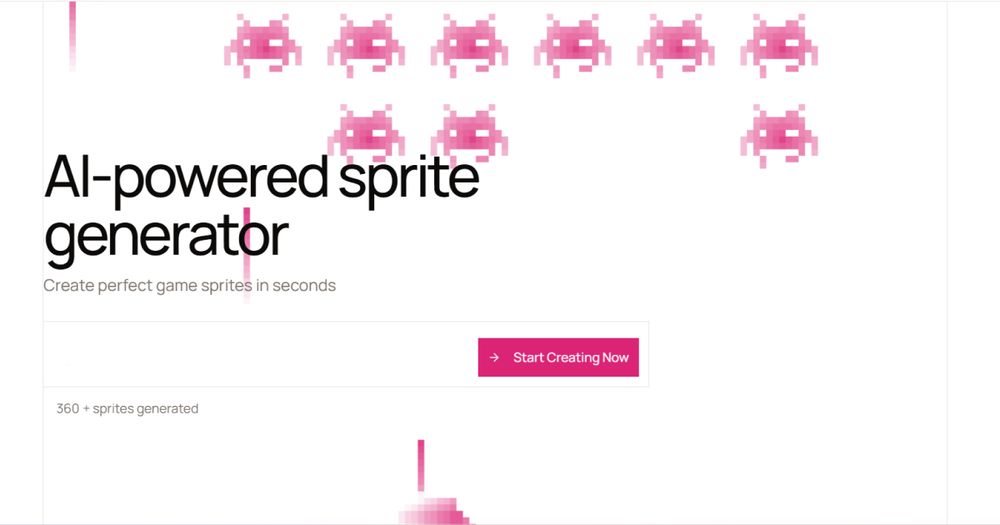
An AI pixel-art studio for generating, editing, and animating game-ready sprites for Unity, Godot, and GameMaker.

Visit Website
sprite-ai image
Visit Website

Introduction

Back

Information

  • Publisher
    pushtimepushtime
  • Websitewww.sprite-ai.art
  • Published date2026/09/12

Categories

  • AI & Automation
  • Design & Creative
  • 3D Design

Tags

  • AI Powered
  • Image Generation
  • Text to Image
  • Pixel Art
  • Sprite Generation
  • Game Assets
  • Game Development
  • Animation
  • Free Plan
icon of DDSM批量二维码生成器

DDSM批量二维码生成器

AD

专业的DDSM批量二维码生成工具,在线快速生成多个高质量二维码,支持自定义样式、格式导出与打包下载。

How to Use Sprite-AI

Sprite-AI's Core Features

Text-to-sprite generation

Create characters, items, creatures, and other pixel-art assets from concise descriptions.

Sprite animation

Generate walk cycles, attacks, idle loops, and other frame-based animations from plain English.

Browser pixel editor

Paint, fill, and adjust individual pixels without downloading a separate editor.

Game-engine exports

Export sprite sheets or GIFs sized for Unity, Godot, and GameMaker workflows.

MCP and API access

Generate assets from coding tools through the documented MCP server and API options.

Sprite-AI's Use Cases

1

Indie game prototyping

Create placeholder or final-looking 2D assets while testing mechanics and scenes.

2

Character and item libraries

Generate multiple variations of actors, props, weapons, and collectibles in a consistent pixel-art direction.

3

Animation iteration

Produce short loops and sprite sheets without hand-drawing every frame from scratch.

4

Code-assisted asset pipelines

Call generation from an MCP-compatible coding assistant or API workflow.

FAQ from Sprite-AI

Sprite-AI Support & Company Information

Company
Sprite-AI
Contact
Open Contact

Social Links

  • Discord

More Products

icon of AI Game Makers

AI Game Makers

Developer ToolsAI & Automation

Roblox AI game maker: type one sentence and the AI builds a full game with map, scripts and UI. No coding. Preview it in 3D, then open it in Roblox Studio.

AI GamingGame DevelopmentNo CodeFree Plan3D Worlds
icon of RemoveBG

RemoveBG

Design & Creative

Remove background from a product shot or a portrait, then download a transparent PNG or place the subject on a flat color.

Background RemovalImage Editing
icon of Roblox Thumbnail Maker

Roblox Thumbnail Maker

AI & AutomationDesign & Creative

Create eye-catching Roblox game thumbnails with AI using reference images, genre presets, and customizable visual styles.

AI GamingAI PoweredCreator ToolsGame AssetsGame Development+3

Sprite-AI

Sprite-AI is a browser-based pixel-art generator and editor for game developers. Describe a character, item, or creature in text, generate a clean sprite, then edit individual pixels or create animation loops without a traditional timeline workflow.

What it can do
  • Generate game-ready characters, items, creatures, and environment assets from text prompts.
  • Create walk cycles, attacks, idle loops, and other animations from plain-language instructions.
  • Export sprite sheets or looping GIFs for Unity, Godot, and GameMaker.
  • Edit, paint, fill, and fine-tune pixels directly in the browser.
  • Use the gallery for visual references and iterate without installing a desktop editor.
  • Connect the generator to coding tools through the documented MCP server and API paths.

Sprite-AI is a practical option for solo developers, prototypes, and teams that need consistent 2D assets quickly. Review the current plan, commercial-use terms, generation limits, and any model or asset licensing conditions before shipping generated art.

  1. Open the Sprite-AI generator and describe the asset, style, view, and intended use.
  2. Generate a few variations, then choose the closest base sprite.
  3. Use the browser editor to correct pixels, colors, or silhouettes.
  4. Describe an animation such as a walk, attack, or idle loop and export the sprite sheet or GIF.
  5. Import the result into Unity, Godot, GameMaker, or your own pipeline and verify licensing before release.
LogoShipdirs

A curated directory of tools that help you build, create, and grow.

Explore
  • Discover
  • Search
  • Categories
Resources
  • Blog
  • Pricing
  • Submit
More
  • Sitemap
  • Contact
Company
  • About Us
  • Privacy Policy
  • Terms of Service

Featured on

Listed on Turbo0Featured on DeepLaunch.ioFeatured on SumoDirFeatured on First LookFeatured on SaaSTool.siteShipdirs is listed on publishyoursaasFeatured on Wired BusinessFeatured on Twelve ToolsFeatured on Dofollow.ToolsFazier badgeaitoolexListed on Backlink DirsLaunching Soon on UneedListed on AIDirsFeatured on FWFWFeatured on NewTool.siteAidirsFeatured on BestskyToolsListed on JustSimple ToolsFeatured on AIJustBetter.comFeature On aifinderplus.comFeatured on AITrustListFeatured on aihuntlist.comFeatured on ToolListed
Copyright © 2026 All Rights Reserved.