
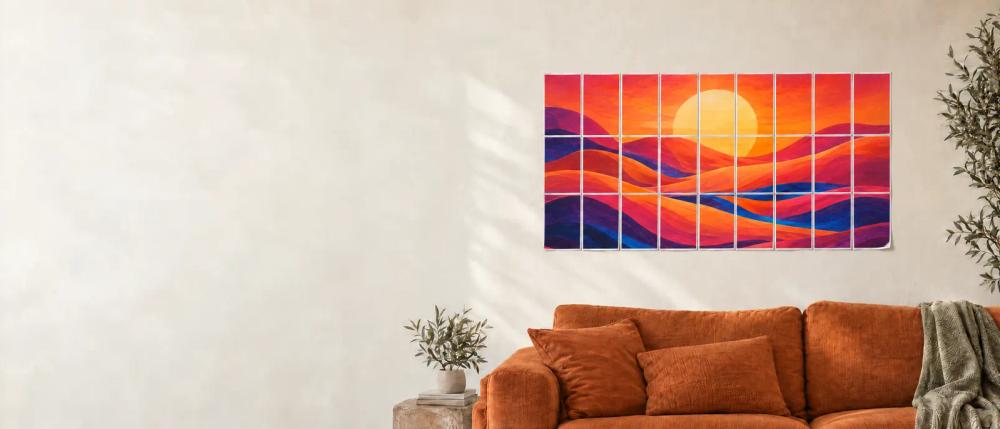
Image tiling
Split one image into an ordered, multi-page PDF for a larger assembled poster.

Turn a photo or AI-generated image into a tiled, multi-page poster PDF sized for printing on a home printer.

专业的DDSM批量二维码生成工具,在线快速生成多个高质量二维码,支持自定义样式、格式导出与打包下载。
Split one image into an ordered, multi-page PDF for a larger assembled poster.
Configure A4, Letter, A3, Legal or Tabloid paper, orientation, margins and overlap.
Choose fit or fill behavior and inspect the page grid and finished size before exporting.
The site says ordinary uploaded images and PDF pages are handled in the browser; AI creation is a separate online workflow.
Print a large image in sections on a standard home printer.
Create multi-sheet maps, signs or decorative backdrops.
Check paper dimensions, overlap and page count before committing to a print run.
BlockPoster.ai is a browser-based poster maker that splits one image across ordinary printer paper so it can be assembled into wall-sized art. Upload an image or create artwork with its optional AI feature, then choose paper size and orientation, crop behavior, poster dimensions, margins and overlap. A live preview shows page layout and print settings before export.
The free basic PDF can be created without signing in and includes a brand watermark with a 150 DPI limit; paid HD downloads remove the watermark and unlock higher-resolution output. The site says ordinary uploaded photos and PDF pages stay in the browser, while AI creation sends the chosen prompt and reference to online providers.
Print at actual size, confirm the selected paper matches the printer and test a sheet before printing a complete poster.


